
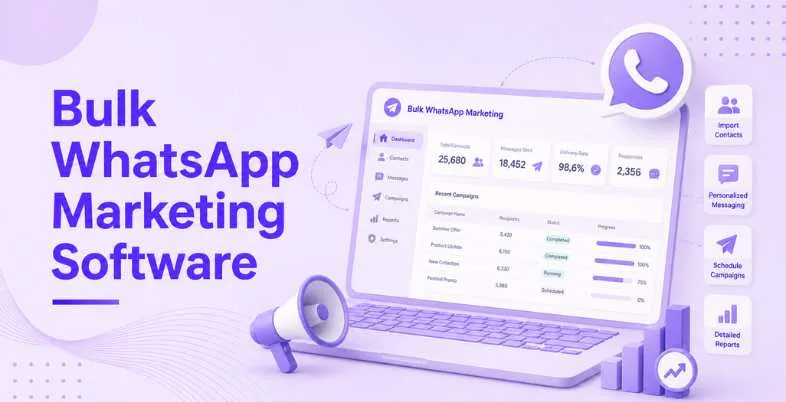
The rise of WhatsApp is undeniable today, with its active user number growing to 2.5 billion and open rates reaching up to 98%. This number beats the 40% average rate of traditional email marketing by miles, showing that WhatsApp is here to stay. What’s even more interesting is that customers actively prefer to communicate with brands via WhatsApp because of its easy and user-friendly design. With millions of individuals talking to businesses on this platform daily, the demand is growing fast.
According to Meta, over 175 million users reach out to brands on WhatsApp every day for a response that comes almost immediately after clicking ‘send’. Thanks to the recent focus on developing its WhatsApp Business features, including in-app payments and Click-to-WhatsApp ads, it’s becoming imperative for companies of all types and sizes to join the bandwagon and build their presence on the platform. However, it is impossible to respond to thousands of customers in a timely manner manually. That’s where bulk messaging software comes into play, transforming chaotic messaging into organized, measurable campaigns. In this article, we’ll walk you through the top bulk WhatsApp marketing software tool and tell you exactly what to look for when choosing the right platform.
How WhatsApp Bulk Messaging Works in 2026
These days, legitimate Bulk WhatsApp Marketing Software operates through the WhatsApp Business API provided by Meta. It implies the following aspects:
- Official Integration With the WhatsApp Business Platform: The software connects your account to Meta’s WhatsApp Business platform and gives you a verified business account, which is less likely to be considered suspicious and banned. Moreover, the integration performs message routing, delivery, and compliance automatically.
- Management of Templates: In order to send any promotional messages, you will need to create templates first and submit them to Meta for approval. A good piece of bulk messaging software would have a built-in template manager to automate this process, as well as monitor the approval status of your templates.
- Contact List Management: With WhatsApp being a highly secure app, your platform will have an option to upload and manage your contact lists carefully and only deliver messages to those clients who’ve opted in willingly. It would also allow you to use dynamic fields and populate them with client-specific information.
- Campaign Setup, Scheduling, and Automation: Once your templates get approved, set up campaigns that can be sent out in predetermined time frames or triggered by various user actions, such as cart abandonment or purchase completion. Platforms usually have automated visual workflow builders to build complicated sequences of actions.
- Analytics & Reporting: See how many messages got delivered and opened, how many links the recipients clicked on, how much money you made thanks to the campaigns, etc.
Comparison of Top WhatsApp Automation Tools for Bulk Messaging (2026)
| Tool Name | Key Features | Best For | Pricing |
| Authkey | Multi-channel messaging, advanced routing, live analytics, dynamic personalization, auto-reply keywords | Enterprises and sales teams needing WhatsApp, SMS, Voice, Email & RCS in one platform | Pay-as-you-go (Meta conversation charges; no monthly fee) |
| Brevo | Email + WhatsApp automation, drag-and-drop campaigns, CRM, segmentation, landing pages, AI tools | Midsize businesses managing multi-channel marketing | Starter: ₹562.50/month | Standard: ₹1,210.50/month | Professional: ₹40,212.42/month |
| WATI | WhatsApp automation, shared inbox, chatbot builder, broadcasts, team collaboration | Sales and customer support teams using WhatsApp | Growth: ₹2,199/month | Pro: ₹4,899/month | Business: ₹14,799/month |
| AiSensy | Unlimited broadcasts, WhatsApp payments, carousel messages, segmentation, Click-to-WhatsApp Ads | D2C brands and WhatsApp marketing campaigns | Basic: ₹1,500/month | Pro: ₹3,200/month |
| Interakt | Shopify/WooCommerce integration, abandoned cart recovery, catalog sharing, COD verification, shared inbox | E-commerce businesses and online retailers | Starter: ₹3,499/quarter (+taxes) | Growth: ₹7,699/quarter (+taxes) | Advanced: ₹10,499/quarter (+taxes) | Enterprise: On request |
| Respond.io | Omnichannel inbox, AI replies, ticket routing, CRM integrations, enterprise security | Large customer support teams and global businesses | Starter: $79/month | Growth: $159/month | Advanced: $279/month |
| Twilio | Developer APIs, programmable messaging, global delivery, high-volume messaging, secure infrastructure | Enterprises and developers building custom communication platforms | Pay-as-you-go (Free to start) |
| Gallabox | No-code chatbot builder, shared inbox, broadcasts, CRM integrations, workflow automation | Service businesses, startups, education, and real estate | Basic: ₹2,399/month | Essential: ₹5,599/month | Advanced: ₹13,599/month | Enterprise: Custom pricing |
| Bird | Omnichannel messaging, enterprise automation, global routing, compliance, fallback messaging | Large enterprises managing global customer communication | Pay-as-you-go | Monthly Targeted Contacts: Custom pricing | Enterprise: Custom pricing |
| WhatsPortal | Budget-friendly WhatsApp marketing, abandoned cart automation, customer segmentation, campaign builder | Retail businesses and SMEs running bulk WhatsApp campaigns | Starting at ₹1,199/month |
10 Best Bulk WhatsApp Marketing Software for Messaging (2026)
1. Authkey
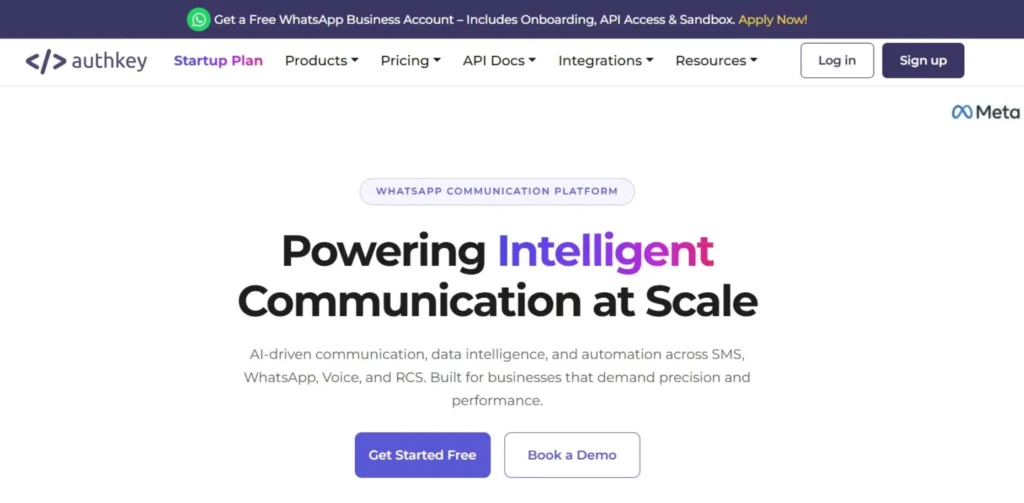
Authkey is one of the best multi-channel messaging platforms that provides a variety of features for brands and companies that seek maximum utility of the communication software without wasting money on monthly platform fees. Essentially, Authkey operates as a cloud communication service that offers direct access not only to WhatsApp messages but also text and voice alerts, emails, and RCS. What makes Authkey stand out is its revolutionary financial scheme based on message balance that is valid for an indefinite amount of time.
Here, you will only pay for what you actually broadcast to your audience, thus saving on unused message credits. The server routing infrastructure provided by the company delivers your message extremely fast anywhere in the world without message dropouts. Also, Authkey has an innovative fallback logic system that allows sending the recipient a standard SMS message if they don’t have mobile data while the message is being delivered.
Key Features:
- Advanced routing infrastructure with multi-channel capabilities.
- Instant analysis reporting live dashboard.
- Custom dynamic variables for large-scale personalization.
- Automated auto-reply trigger keyword system.
- Shared development environment sandboxes for validating API code.
Pros:
- No subscription fee to pay monthly or license access charges to use.
- Message balance does not have any expiry date and remains valid indefinitely.
- Multi-channel features are included in a single communication dashboard.
- Very responsive support with expert onboarding service.
Cons:
- Requires a certain understanding of programming basics to operate.
- Visual UI is relatively complex at first sight for a beginner.
- Pre-made retail templates are limited in number.
- More complex pipelines can be created only manually using webhooks.
Pricing: Pay-as-you-go conversation charges depending on regional Meta prices; no monthly fees to pay.
Best For: Sales departments, enterprises, or organizations willing to use several channels, such as voice and text alerts.
Website Link: authkey.io
2. Brevo
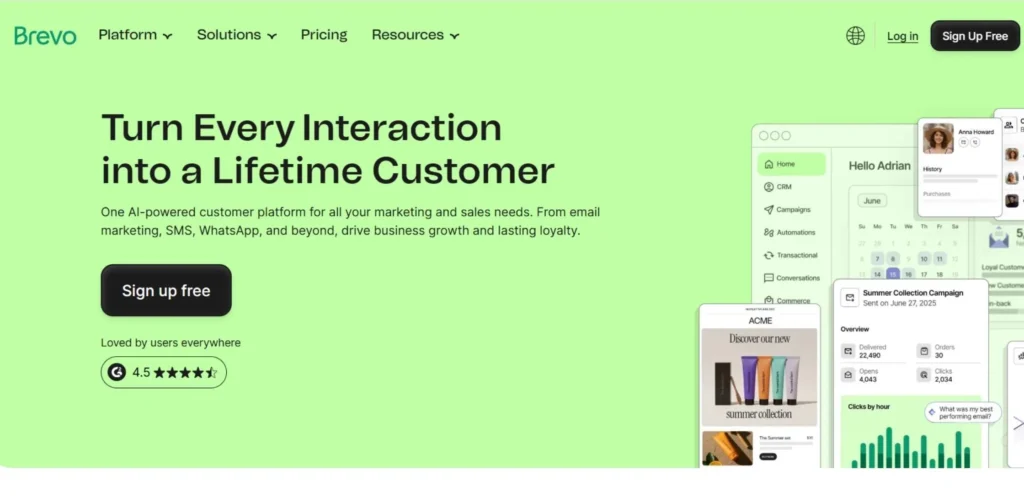
Brevo acts as a Meta Business Partner, providing mass messaging embedded directly into your company’s main sales and relationship management desk. The system eliminates all technical complexities associated with API integration by providing an embedded sign-up that connects your business’ phone number in mere moments. Moreover, it combines all communication lines brilliantly by helping you to send a promotion code through your email address, check if the recipient opened the message, and automatically send a notification text on WhatsApp if it didn’t go through.
The software helps to build complicated cross-channel marketing funnels, taking your customers on a structured journey without resorting to multiple software programs. Additionally, intelligent sender management backend closely tracks the health state of your brand account to ensure that your templates do not breach platform spam limits.
Key Features:
- Automatic logs of all interactions through emails, texts, and chat conversations with your clients.
- Drag-and-drop campaign board where you can build complicated cross-channel automated funnels.
- Natively integrated web form widgets to collect customer permission to reach them through text.
- Multiple built-in translation layers for translating messages in multiple languages.
- Real-time dashboard monitoring template approval statuses from Meta reviewers.
Pros:
- Brings together all digital communication channels in one centralized dashboard.
- Very efficient contact filtering systems that use multiple criteria to sort audiences.
- Campaign designer tools that do not require any technical coding background.
- Infrastructure supporting safe transmission of sensitive enterprise consumer data.
Cons:
- Gaining access to automation features requires purchasing their expensive professional package.
- Message credit packages may accumulate operational costs rapidly due to bulk sending.
- Design tools for message templates have very limited flexibility when building rich media content.
- The mobile application interface lacks some administrative dashboard settings.
Pricing: Starter: ₹562.50/month | Standard: ₹1,210.50/month | Professional: ₹40,212.42/month
Best For: Midsized brands that want to control their digital communication channels from one dashboard.
Website: brevo.com
3. WATI
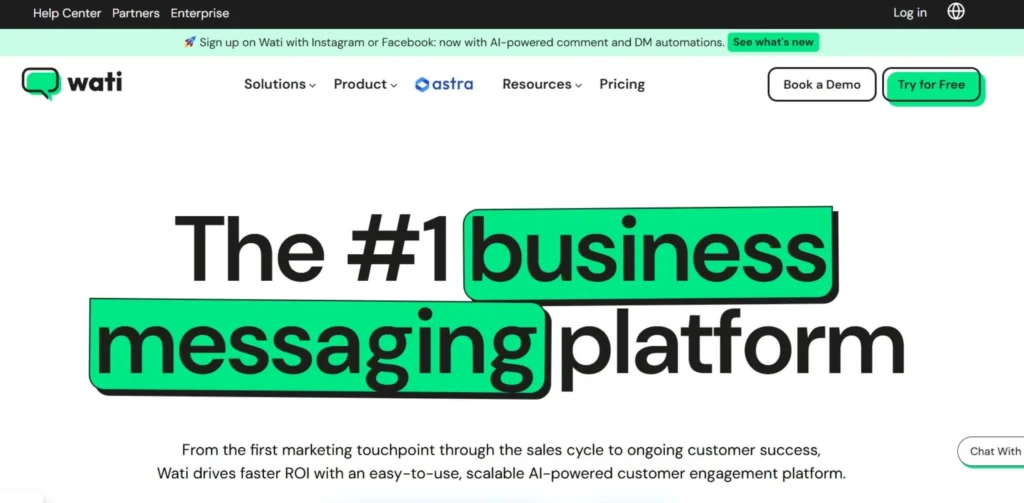
Entirely focused on Meta APIs, this application became known for delivering sleek and clean visuals of the messaging platforms. By doing so, WATI provides non-technical employees with a comfortable workspace where they can craft automatic responses to frequently asked questions without looking at a single piece of code.
Moreover, collaborative team workspace guarantees that both your sales and customer support departments are aware of inbound replies simultaneously, passing them around to appropriate representatives without confusing user contexts. The solution significantly reduces customer resolution times because many agents cannot answer the same text question at once. Additionally, its built-in conversation filters tag users according to their buying interest or need for fast response during a chat.
Key Features:
- Simple drag-and-drop interface to create automatic chat paths effortlessly.
- Team collaboration dashboard dividing inbound texts evenly among online workers.
- Broadcast scheduling tools adjusting campaigns according to time zones.
- Plug-and-play tools integrating with various workspace applications.
- Click-through scripts added to outbound broadcasts to track web link activity.
Pros:
- Very intuitive dashboard design that requires zero technical training.
- Friendly tech support helps to modify templates quickly.
- Reliable cloud notification channels ensuring high performance.
- Transparency of billing cycles, making it easy to estimate spending.
Cons:
- USD billing structure used even for international users.
- Each additional employee needs a purchased individual user seat.
- Analytics tools provide generic insights rather than detailed historical segment breakdowns.
- Limited multi-channel integrations since the software is focused on Meta messaging only.
Pricing: Growth: ₹2,199/month | Pro: ₹4,899/month | Business: ₹14,799/month
Best For: Sales and customer care agents who want a collaborative chat workspace.
Website: wati.io
4. AiSensy
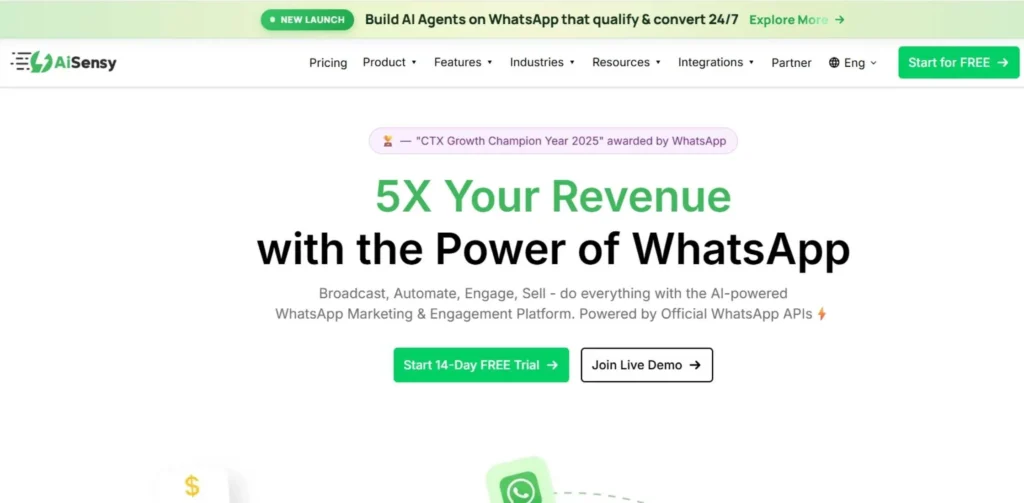
AiSensy has gained immense popularity thanks to its transparency and the ability to broadcast messages to unlimited numbers of contacts in one batch. By doing so, users have access to unlimited promotional text broadcasts to opted-in databases, while paying only for platform access fees.
Also, its seamless integration with payment processing systems allows brands to send invoices straight to recipients through chat bubbles and collect payments right there, turning messaging apps into mini digital checkout systems. Besides, built-in target filter options allow companies to conduct a targeted follow-up campaign for people who clicked a certain button in a previous message.
Key Features:
- Option to broadcast messages to unlimited contacts with no list size restrictions.
- Carousel card layouts showcasing multiple products at once in one window.
- Links leading to click-through advertisements attributing sales results accurately.
- Target filters that let you create hyper-specific segmentation groups.
- Payment gateways collecting payments within a chat box automatically.
Pros:
- No artificial restrictions on the total size of the broadcasting database.
- Basic functional free trial tier to try out the service risk-free.
- Exceptionally fast processing of mass campaigns to huge databases.
- Simple dashboard where you can send mass messages in just a few clicks.
Cons:
- Some complex automation rules require premium tier subscriptions.
- A little bit overcrowded interface if you are working with many brand profiles.
- Integration with external applications requires manual API configuration.
- Occasionally, automated translations display errors in certain regional dialects.
Pricing: ₹1,500 per month in basic package; ₹3,200 per month for pro package.
Best For: Brands with fast-growing direct-to-consumer businesses who run high-budget click-to-chat ads.
Website: aisensy.com
5. Interakt
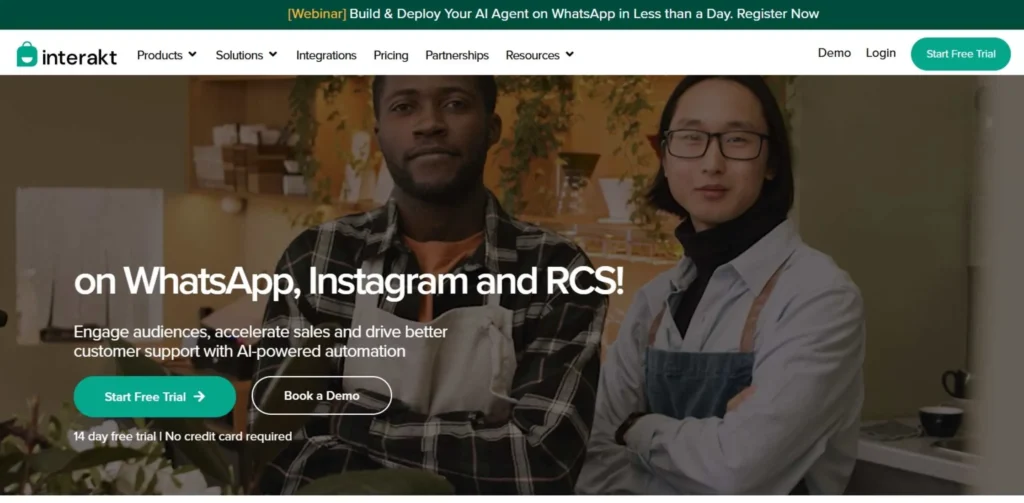
Interakt is an officially supported Meta messaging platform developed by Jio Haptik that aims to eliminate any operational issues for e-commerce store owners. The app is specifically focused on connecting your online shop backend, which allows live products to appear straight inside the conversations with customers. Such an explicit specialization makes it easy to perform routine commerce operations such as text validation for cash on delivery, abandoned cart recovery, and immediate delivery confirmation with little effort.
In addition, the platform keeps your alerts precisely synchronized with the physical warehousing processes, thus minimizing product returns. Besides, your salespeople get a powerful tool to recommend up-sells depending solely on your customer’s web-store browsing history.
Key Features:
- Automated abandonment retrieval system pulls lost items to the chat screen instantly.
- Natively connected web-store product catalog for pushing products visually.
- Shared agent message screens featuring pre-written text snippet functionality.
- Automated confirmation texting service to validate large value cash on delivery purchase decisions.
- Assistance programs to get your brand verified profile green tick badge.
Pros:
- Perfectly synchronized with leading digital marketplaces including Shopify and WooCommerce.
- Proven itself highly efficient for triggering e-commerce store conversion recovery.
- Out-of-the-box setup paths are highly optimized for retail marketing use.
- Reasonably affordable price points for provided advanced commerce integrations.
Cons:
- Simple options for multi-branch visual routing of messaging services are not enough for enterprise teams.
- Options for customer assistance are only provided via online text and email ticketing services.
- No advanced cross-channel features to pull existing emails inside chat screens.
- The analytics screen is heavily biased towards sales conversions and does not consider deep agent statistics.
Pricing: Starter: ₹3,499/quarter (+taxes) | Growth: ₹7,699/quarter (+taxes) | Advanced: ₹10,499/quarter (+taxes) | Enterprise: On request
Best For: Medium-size boutique-style brand running Shopify or WooCommerce for physical order handling.
Website Link: https://www.interakt.shop/
6. Respond.io
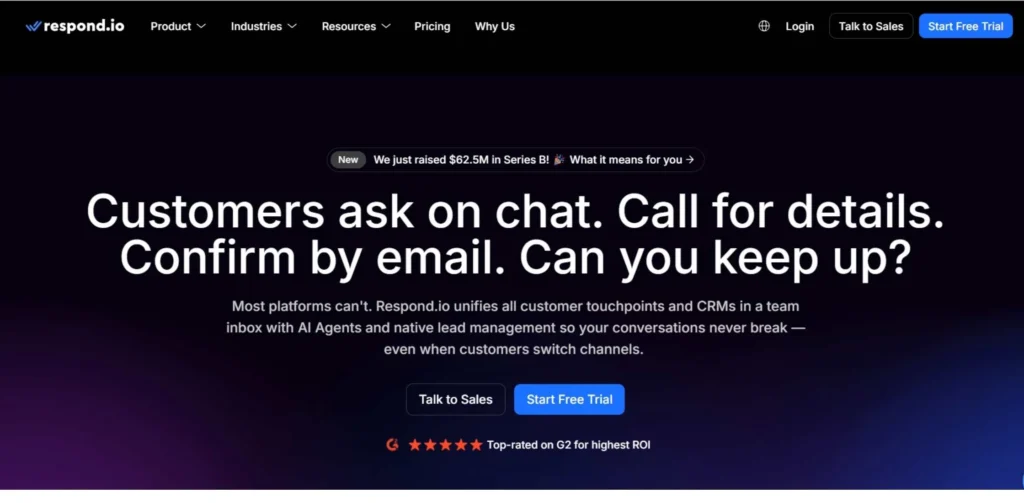
Respond.io helps overcome the problems of multi-channel communication by bringing messages from WhatsApp, Instagram, and email into one centralized interface. This software is capable of handling heavy messaging volume without losing track of anything thanks to intelligent routing rules that automatically assign all incoming messages to an available agent.
Furthermore, it includes an AI assistant module that scans all customer issues to propose quick responses and resolve them within seconds. Many large-scale enterprises use it to operate multiple language customer care centers across different countries from one screen. In addition, their secure data masking configurations protect any private client data from internal leaks.
Key Features:
- Centralized multi-channel communications hub merging all social applications.
- Advanced ticket routing modules that assign chat messages according to custom rules.
- User interaction timeline tracking all historic record interactions.
- Instant automated answer draft suggesting contextual responses to team members.
- Enterprise-grade data security measures protecting private client identity records.
Pros:
- Proven to handle huge volumes on highly diverse digital networks.
- Includes detailed operational logs that evaluate employee individual customer support statistics.
- Highly customizable options for integrating with enterprise CRM systems.
- Exceptionally reliable system uptime monitoring stats to check consistent operation.
Cons:
- Premium pricing model prevents smaller bootstrapping startups from accessing it.
- The onboarding process is highly demanding in terms of setting up this platform properly.
- Feature-rich platforms may overload newly hired support staff during initial training.
- Custom analytics graph creation requires reaching premium pricing plans.
Pricing: $79 per month for Starter package, increasing to $159 for Growth package and up to $279 for Advanced plan.
Best For: Large customer support hub and cross-border organizations dealing with huge amounts of inbound conversations.
Website Link: respond.io
7. Twilio
Unlike other providers, Twilio skips all pre-made panels to offer developers completely programmable communication blocks in the form of APIs. They feature enterprise-level message pipelines that allow easy distribution on a massive global scale without issues. Although it does not provide a visual tool to work with in its dashboard, it allows complete customization of communication systems, internal alerts and deep database integrations starting from scratch.
This level of flexibility turns it into a great choice for any software engineer trying to connect chat action into their own proprietary app. Also, the server architecture ensures excellent security when transmitting sensitive transactional alerts such as OTPs.
Key Features:
- Programmable API endpoints providing full freedom of structural customization.
- Automatic multi-network backup messaging channels to guarantee delivery consistency.
- High-volume transmission streams built to transmit millions of messages simultaneously.
- International compliance-friendly tokenization system for securing sensitive information.
- Transmission command center modules that log raw transmission history.
Pros:
- Complete freedom of designing custom messaging interfaces.
- Economical pay-per-use financial plan scaling according to actual transmission volume.
- Exemplary transmission speeds across different international communication networks.
- No extra platform layout just pure messaging utility for technical environment.
Cons:
- Advanced programming skills needed to build a simple GUI.
- Total lack of drag-and-drop marketing workflow dashboard.
- Account management processes always need developer supervision.
- Challenging calculations of monthly expenditures due to complex fee structures.
Pricing: Start as a free and pay-as-you-go model.
Best For: Enterprises, large financial institutions and technology brands having in-house developers.
Website Link: twilio.com
8. Gallabox
Gallabox offers medium-sized firms a fine line between visual automations and team workspace tools. Its distinguishing feature is represented by a highly flexible drag-and-drop flow map builder that makes creating unique conversation paths quick and easy for non-technical workers. In addition, its detailed conversational workflows help service providers collect customer leads, book appointments on the calendar, and update clients’ records on any external platform automatically.
Such focus on its key strengths makes it extremely popular in educational organizations, consulting agencies, and booking platforms that follow strict schedules. Moreover, its shared inbox functionality allows management to join conversations in real-time to assist junior sales agents during closing talks.
Key Features:
- Highly intuitive drag-and-drop conversational mapping board for quick flow development.
- Agent team communication views tailored to organize incoming queries by category.
- Automatic broadcasting mechanisms to distribute marketing campaigns at optimum times.
- Webhook export routes to transmit gathered clients leads to an external table.
- Templates library to preserve successful promotion structures and reuse them.
Pros:
- Intuitive visual platform with an extremely user-friendly interface for enterprise non-technical users.
- The initial plans for subscription are very cheap regarding monthly marketing expenses.
- Rapid setup and ability to deploy campaigns in less than 24 hours after sign-up.
- Simplified basic client verification procedures via question/answer sequences.
Cons:
- Basic analytical graphs offer only general summary data instead of multi-level metrics.
- Adding more agent accounts to a team costs money separately for each account.
- Direct synchronization with e-commerce software offers less flexibility compared to other tools.
- Logical conditions seem somewhat rigid for complex flow branching.
Pricing: Basic: ₹2,399/month | Essential: ₹5,599/month | Advanced: ₹13,599/month | Enterprise: Custom pricing (Contact Sales)
Best For: Up-and-coming service businesses, real estate, and startups with client chat automation.
Website Link: gallabox.com
9. Bird
Bird specializes in providing enterprises with well-organized customer communication paths across regional boundaries without requiring excessive manual labor. It functions as a dedicated enterprise solution that lets managers create templates, distribute communications internationally, and ensure compliance of all message texts.
Through its built-in logical pathways, enterprises can broadcast approved templates safely, while guaranteeing consistent communication even in case one of the networks fails. In addition, thanks to its load balancing routes, messages will be delivered instantly during high peak times.
Key Features:
- Orchestration modules for enterprise message flows that define distribution rules.
- Multi-country template organization sections that include regional translations.
- High-speed message transmission paths that process thousands of requests a minute.
- Fallback routes that reroute failed message delivery to alternate communication channels.
- Message compliance audits that detect text-format problems before distributing them.
Pros:
- Extremely reliable platform that manages millions of customer contacts.
- Provides high oversight control needed by multi-branch enterprises.
- Excellent performance results when working with hard-to-reach cross-border networks.
- Guaranteed fast message deliveries via cooperation with international telecoms.
Cons:
- Its multi-layer equation pricing structure might confuse new enterprise customers.
- Priority dashboard structure is designed to satisfy major corporate needs only.
- Its interface configuration demands special knowledge of custom data tracking.
- Minimum usage plan restrictions are too high for entry-level enterprises.
Pricing: Pay
Best For: Pay as You Go: Usage-based pricing (no monthly commitment) | Monthly Targeted Contacts: Custom monthly pricing (based on targeted contacts) | Enterprise: Custom pricing
Website Link: bird.com
10. WhatsPortal
WhatsPortal was created to enable retailers to run bulk marketing automation software without sacrificing their profit margins to costly third-party transaction fees. The tool offers direct API access to standard Meta rates, making it incredibly inexpensive for brands to send many broadcast messages weekly.
Its visual editor further facilitates quick creation of abandoned shopping cart alerts and payment verifications without having to switch between multiple dashboards, saving huge amounts of operating capital in the long term. In addition, WhatsPortal’s customer target tabs allow quickly distinguishing premium buyers from regular visitors.
Key Features:
- Pass-through billing pipelines that cut extra transaction fees for messages.
- Campaign designer boards that allow fast promotion distribution.
- Customer grouping tags that distinguish buyers based on recent purchases.
- Ready-made abandoned shopping cart trigger that sends notifications to the customers.
- Integration data paths that link with digital marketplace platforms.
Pros:
- Helps save enormous marketing costs by reducing transaction fees.
- User-friendly interface with no complicated administrative language.
- Effective tool for running high-frequency flash-sale promotion campaigns.
- Direct integration paths that automatically update client lists.
Cons:
- Lack of ticket assignment and escalation logic.
- Third-party connectors are less numerous than those of competing products.
- Limited customer support contact hours during holidays.
- Provides only basic analytical metrics.
Pricing: Starting base plans cost only ₹1,199/month with no additional markup fees applied.
Best For: Retail store owners who need a budget-friendly mass-marketing engine.
Website Link: whatsportal.io
What to Look For in Bulk WhatsApp Marketing Tools
Selecting the right Bulk WhatsApp Marketing Software solution might turn into quite a challenge. Here are five key criteria you need to keep in mind:
- Official API Provider: Always make sure the selected solution provides the official WhatsApp Business Solution Provider (BSP) API. This way, you’ll be fully covered against potential bans due to your account’s misuse.
- Ease of Use & Setup: It should not take more than a minute to embed your first contact form into the website and launch your first campaign. Besides, the software interface should help you manage templates, campaigns, and contacts with ease.
- Transparent Pricing Policy: Get a comprehensive overview of the pricing policy and be sure to understand what each charge stands for. Be alert for any additional hidden costs such as extra message charges and hefty setup fees.
- Scalability & Features: Think about how you’d use the software in the nearest future – whether it’s for marketing, support, lead generation, etc. Consider whether the platform can scale together with your business development and support your growth in terms of contact numbers and messages sent daily.
- Data Privacy & Compliance: It goes without saying that compliance with the data privacy laws (such as GDPR and CCPA) is critical. Therefore, make sure that the software you choose handles customer data securely. Also, it should provide some means for managing opt-ins and opt-outs for sender reputation purposes.
How to Choose the Right WhatsApp Marketing Software for Bulk Messaging
Here are five essential steps that will lead you to picking the right bulk WhatsApp marketing software for your business:
- Primary Use Case: Determine your primary use case. Do you need WhatsApp mainly for customer support, or maybe for lead generation, marketing broadcasts? As we mentioned above, WATI is great for the former while Brevo is better for marketing.
- Integrations: Check whether the software works well with your tech stack. It is extremely important for online retailers because it can integrate your WhatsApp communication with CRMs like Salesforce and HubSpot or e-commerce platforms like Shopify and others.
- Technical Skills of Your Team: Don’t forget to assess the technical skills of your employees when choosing software. If your company doesn’t have a developer who would work with the software, you’d better opt for the platform with drag-and-drop builders and straightforward interfaces.
- Free Trial and Demo: Try it out yourself! The vast majority of bulk WhatsApp marketing software providers have free trial periods available so that you can try the interface out, launch a couple of campaigns, and explore analytics.
- Customer Support & Community: Finally, make sure that the platform supports customer support. What do they offer? Live chats, emails, phone calls, or something else? Look for a knowledge base or even a community forum where people share useful tips and help each other with issues.
WhatsApp Marketing Software for Ecommerce and D2C Brands
Nowadays, eCommerce and Direct-to-Consumer (D2C) brands live at a pretty fast pace. In this context, the speed of conversions plays an essential role in making your store profitable. Here is what a specialized bulk WhatsApp marketing software can do to facilitate customer relations and boost conversions within the buying journey:
- Instant Checkout Recovery: With just a couple of clicks, automatically send a chat message offering buyers to proceed with purchase.
- Order Milestone Automated Notification: To avoid complaints, send automatic order confirmation messages, receipt notifications, and tracking links to clients’ devices.
- Chat Shopping: Allow customers to shop around through interactive chat buttons. They would be able to browse current inventory collections and select sizes right inside the message bubble.
- Delivery Address Verification: Drop a quick chat with the verification button to buyers to confirm delivery address before dispatching costly items.
- Automated Restock Alerts: Broadcast quick updates to interested client segments the second a popular product is back in stock.
Common Mistakes When Choosing WhatsApp Bulk Messaging Software
Making these common mistakes during platform evaluation might cause your team to miss out on valuable customer engagements and have restricted access to accounts:
Using Unauthorized Methods
Picking inexpensive browser plug-ins and other tools that circumvent the use of an official WhatsApp API results in automatic phone blacklisting.
Neglecting Markup Fees
Assuming that the lower the monthly subscription, the better your deal; without double-checking if the vendor inflates markup on each credit used.
Creating Silos Between Channels
Using a standalone solution that doesn’t synchronize data with your central marketing email platform or CRM database.
Forgetting to Look at Agent Counts
Not verifying how many team members can be included in the shared inbox management panel before paying per seat.
Failing to Follow Opt-In Regulations
Spamming your promotions list without permission from the users and generating a high number of spam reports.
Conclusion
Moving over to bulk messaging systems is a decision every developing consumer business should make. The choice of bulk WhatsApp marketing software helps your company set up the infrastructure to reach multiple people at once with personalized interactions. Depending on whether you opt for a multi-platform tool like Authkey, which eliminates fixed costs, or go with an e-commerce expert like Interakt, syncing the product catalog of your online shop, the main thing to keep in mind is that it has to add value to your business.
Since these messages reach straight into customers’ phones just as personal notes, you must make sure that your content is relevant and respectful towards users. Use sandbox tools to analyze your current needs, and then choose an official system that will help your business flourish.
FAQs
Is it possible to send bulk messages on WhatsApp without the official API?
Unofficial browser scrapers can be employed to send bulk messages, yet it violates WhatsApp policies and will lead to your business phone being permanently banned. Official bulk WhatsApp marketing software keeps all your business interactions completely legal and safe.
Do I need a separate phone number for bulk messages?
You can continue using your existing phone number but have to remove personal contacts first before linking it to the business account. However, many businesses choose to purchase a new phone number to use specifically for high-volume mass marketing campaigns.
Does Meta charge extra rates for promotional messages?
Depending on the time window and type of communication (promotional, transactional updates), Meta charges per-country-code-based 24-hour message price. The best bulk WhatsApp marketing software passes this standard rate straight through to your account.
What’s the meaning of the official green tick verification badge?
It’s a badge that appears next to your brand name, showing users that it’s an officially verified company profile. With most vendors, it’s free of charge to verify your business and receive the green tick badge.
Will users be able to stop receiving messages from my business?
Official compliance rules mandate the addition of quick-reply unsubscribe options like ‘Reply STOP’ for every broadcast template you use, making it easy for them to unsubscribe.
Is it possible to integrate WhatsApp bulk messaging with email marketing?
Many platforms feature unified workflows with email triggers, allowing your team to set up conditions where you send a text update to a user only if the previously sent email remains unanswered.