
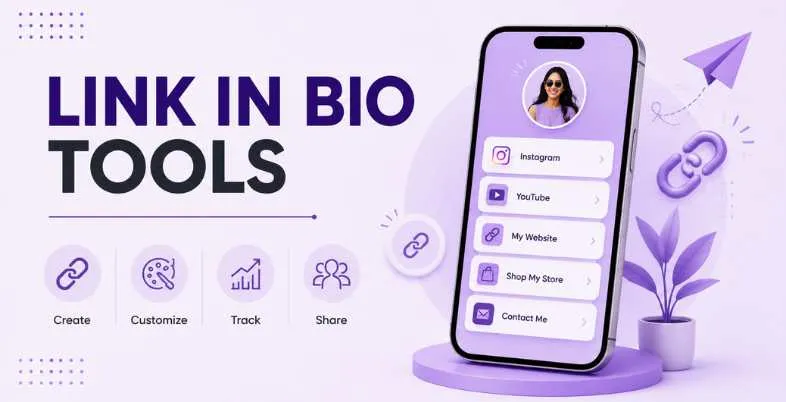
That’s the one and only clickable link that you must make single duty work for your Instagram, TikTok, or YouTube post. That’s precisely the reason Link in Bio Tools has become the secret force behind the creator economy, transforming a single, mundane URL into a mini storefront, media kit, email list and analytics dashboard in one single page. The space has expanded well beyond the original scope of just link lists, in 2026. Now, tools battle it out with each other about who can sell more, price it lower and load it quicker – and selecting the right one is not just about looks, it’s about money as well.
Here, you’ll see a comparison of the best Link in Bio Tools of 2026, such as Linktree, Beacons, Stan Store, Snipfeed, Carrd, Milkshake, and more side-by-side to understand their pricing, transaction fees, standout features, and who they are suited for. If you are a musician, you will want to find those pre-saves, if you are a small business, you will be looking for leads and if you are a creator, you will be selling that digital stuff, there is a clear and no-frills recommendation below for you.
Also Read – Best WhatsApp Chatbot Tools
What Is a Link in Bio Tool and Why You Need One
A link in bio tool is a landing page builder that’s specially created for the one link limit on social media. You don’t have to direct people to a specific website, you have a bio full of buttons, embeds, product cards, forms, etc. all linked to that one URL. Most tools also have features that allow you to monitor clicks, so that you can discover which platform, blog post or product is actually bringing visitors to your site rather than making assumptions.
Not only are these platforms a convenient option, but they’ve also become channels for sales, unknowingly. Modern Link in Bio Tools enables you to start selling courses, schedule coaching calls, and capture email and tips without creating a complete website. That’s a big deal for creators and small businesses who don’t have the time or budget to create custom development.
Best Link in Bio Tools Compared (2026)
| Tool | Best For | Free Plan | Transaction Fee | Custom Domain | Standout Feature |
| Linktree | General creators, brand recognition | Yes | 12% (Free), 9% (Starter/Pro), 0% (Premium) | Paid plans only | Massive integration library |
| Beacons | Creators wanting an all-in-one business hub | Yes | 9% (Free/Creator), 0% (Creator Plus+) | Free 1st year | AI-generated media kits |
| Stan Store | Selling digital products & coaching | No (14-day trial) | 0% (Stripe/PayPal fees apply) | No | Mobile-first checkout, zero platform fees |
| Snipfeed | Creators monetizing via tips, Q&A, courses | No | 10% (Starter), 2% (Pro) | Yes (Pro) | Built-in email marketing |
| Carrd | Design-first, budget-conscious builders | Yes | 0% | Pro Standard+ | Insanely cheap annual pricing |
| Milkshake | Mobile-only, visually driven creators | Yes | 0% | Higher tiers only | Swipeable card-style pages |
| Linkfire | Major-label and serious independent artists | Limited | 0% (subscription-based) | Yes | Deep streaming analytics |
| Feature.fm | Artists running paid ad campaigns | Yes | 0% (subscription-based) | Yes | Ads + smart links combined |
| Later Link in Bio | Small businesses already using Later | Yes | 0% | Yes | Bundled with social scheduling |
| Direct.me | Free personal brand pages with no fees | Yes | 0% | No | Completely free, no paywalled features |
Top 10 Best Link in Bio Tools 2026 – Detailed Overview
1. Linktree
| Attribute | Details |
| Founded Year / Company | 2016, Linktree Pty Ltd |
| Free Plan Availability | Yes, free forever |
| Pricing (Monthly/Annual) | $0 (Free) / $8 (Starter) / $15 (Pro) / $35 (Premium) — annual billing saves ~20% |
| Transaction Fee on Sales | 12% (Free), 9% (Starter & Pro), 0% (Premium) |
| Custom Domain Support | Starter plan and above |
| Best Use Case | General creators wanting quick setup and brand trust |
| Official Website Link | linktr.ee |
| Key Features (Analytics, Store, Scheduling) | Lifetime click analytics, Commerce store, Link scheduling, Email capture |
| Pros | Huge integration library, strong brand recognition, easy setup |
| Cons | Commission fees add up fast on Free and lower paid tiers |
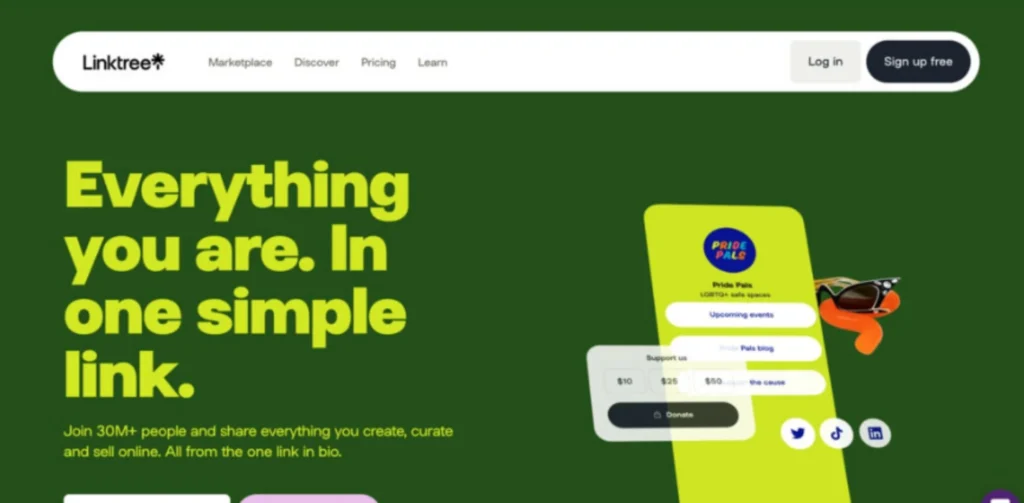
Linktree is the most common link in bio names that comes to mind when you hear it, and not without reason — it’s easy, reliable and easily recognizable. For the free plan, it provides a good basic understanding of everything: unlimited links, QR codes and click analytics for a lifetime, but with the drawback that if you sell anything on it you lose 12% of each sale.
What Linktree really excels at is its application ecosystem with pre-saved Spotify, contact forms, content gating, and dozens of third-party embeds that seamlessly integrate with your page. The free plan is actually all you need if you don’t intend to sell products. If you’re going to sell, the calculations become a bit more complicated, but it’s still worth making a comparison between Linktree and a fee-free option in 10 minutes.
2. Beacons
| Attribute | Details |
| Founded Year / Company | Beacons AI, founded by Neal Jean, David Zeng, Jesse Zhang, Greg Luppescu |
| Free Plan Availability | Yes, free forever |
| Pricing (Monthly/Annual) | $0 (Free) / $10 (Creator) / $30 (Creator Plus) / $90 (Business) — annual from $8.33/mo |
| Transaction Fee on Sales | 9% (Free & Creator), 0% (Creator Plus & Business) |
| Custom Domain Support | Free for first year on paid plans |
| Best Use Case | Creators wanting a full monetization stack, not just links |
| Official Website Link | beacons.ai |
| Key Features (Analytics, Store, Scheduling) | Real-time analytics, Digital storefront, Calendar/booking sync, AI media kits |
| Pros | Generous free plan, AI-powered growth tools, media kit auto-updates |
| Cons | 9% fee stings once sales cross ~$300–400/month |
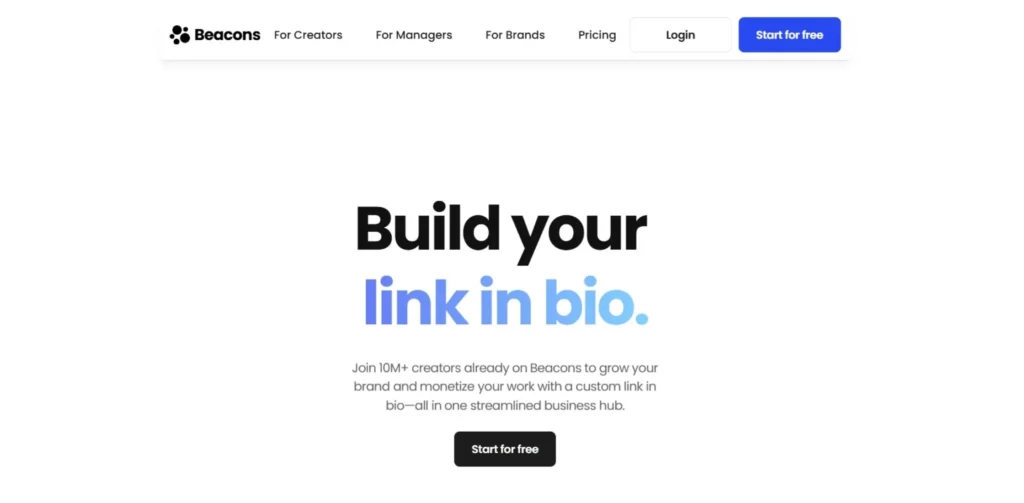
But Beacons have evolved from a simple app for bio-links to a more comprehensive creator operating system. Unlike most competitors it also has AI assistance with “Beam” who can draft your page, suggest price and even auto-refresh your media kit based on live follower and engagement data.
One of the best free plans on Link in Bio Tools is unlimited digital products, which means you can start selling digital products immediately. The downside is the 9% transaction fee, which can add up to be a lot after selling about $300–400 worth of products a month, after which the 0% transaction fee of Creator Plus will typically more than compensate.
3. Stan Store
| Attribute | Details |
| Founded Year / Company | Stan (Stan Store), creator commerce platform |
| Free Plan Availability | No — 14-day free trial only |
| Pricing (Monthly/Annual) | $29/mo (Creator) or $25/mo annual / $99/mo (Creator Pro) or $79/mo annual |
| Transaction Fee on Sales | 0% (only Stripe/PayPal processing fees apply) |
| Custom Domain Support | No — runs on stan.store subdomain |
| Best Use Case | Creators and coaches selling digital products or bookings |
| Official Website Link | stan.store |
| Key Features (Analytics, Store, Scheduling) | Basic analytics, Mobile storefront, Booking calendar, Courses & subscriptions |
| Pros | Zero platform fees, mobile-first checkout, fast setup |
| Cons | No free plan, no custom domain, no built-in video calls |
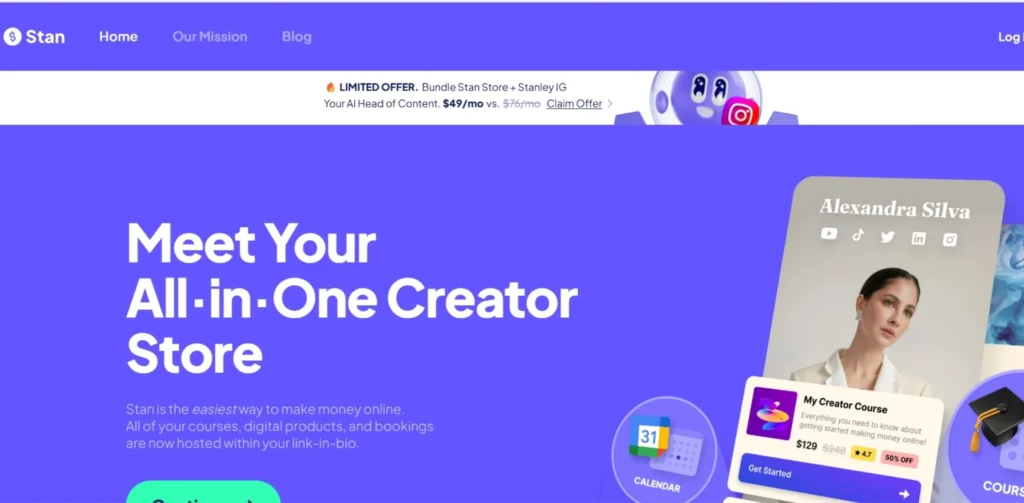
Stan Store sees no need to play in the free tier and instead offers flat, predictable pricing and low or no commission. The monthly fee is usually better for a creator who is making a steady income, such as $300 or more per month.This monthly fee is typically the better option if a creator is earning a consistent income, like $300 or more per month, since the break even point is around $290/month.
The Creator plan includes a mobile-friendly storefront, bookings, basic courses and more, and Creator Pro includes email marketing, discount codes and upsells. It’s not the tool for deep customization and SEO – but for social-first sellers who wish for checkout simplicity, it’s tough to outdo.
4. Snipfeed
| Attribute | Details |
| Founded Year / Company | Snipfeed.co |
| Free Plan Availability | No |
| Pricing (Monthly/Annual) | $9/mo (Starter) / $29/mo (Pro) |
| Transaction Fee on Sales | 10% (Starter), 2% (Pro) |
| Custom Domain Support | Yes, on Pro plan |
| Best Use Case | Creators monetizing through tips, Q&A, and courses |
| Official Website Link | snipfeed.co |
| Key Features (Analytics, Store, Scheduling) | Engagement analytics, Store + tipping jar, Booking calendars, Email marketing |
| Pros | Built-in email marketing even on entry plans, flexible monetization options |
| Cons | No free plan, transaction fees still apply even on Pro |
With everything from tipping jars, paid Q&A, livestreams, to a membership all in one place, monetization options are the emphasis of Snipfeed. The $9 Starter plan is cheap, but has a high fee of 10%, while the $29 Pro plan includes a 2% fee and provides built-in email marketing.
It’s a decent choice for creators looking for more income sources than a simple storefront, and would work well for coaches, fitness enthusiasts and artists who do paid Q&As, but it doesn’t have a free tier so you’ll be paying from the get-go.
5. Carrd
| Attribute | Details |
| Founded Year / Company | Carrd, independently built one-page site tool |
| Free Plan Availability | Yes, up to 3 sites |
| Pricing (Monthly/Annual) | $9/yr (Pro Lite) / $19/yr (Pro Standard) / $49/yr (Pro Plus) — annual only |
| Transaction Fee on Sales | 0% |
| Custom Domain Support | Pro Standard and above |
| Best Use Case | Design-conscious creators and freelancers on a budget |
| Official Website Link | carrd.co |
| Key Features (Analytics, Store, Scheduling) | Analytics integrations (GA/Plausible), Payment-enabled forms, No native scheduling |
| Pros | Extremely cheap annual pricing, full design control, zero fees |
| Cons | Annual billing only, no built-in commerce or native analytics dashboard |
Unlike most of the Link in Bio Tools, Carrd is a one-page website builder that is incredibly well suited to be a bio link. You can get a custom domain, forms, and unlimited access to templates for $19 a year, which is basically one month of paid templates from most of the competitors.
It won’t include any products for you; you’ll have to add your own Stripe or Gumroad or PayPal integration. However, if you’re more interested in design flexibility and lowest possible cost, Carrd is one of the best in the group.
6. Milkshake
| Attribute | Details |
| Founded Year / Company | Milkshake, mobile-only website builder |
| Free Plan Availability | Yes |
| Pricing (Monthly/Annual) | $2.99/mo (Lite) / $6.99/mo (Pro) / $10/mo (Pro Plus) |
| Transaction Fee on Sales | 0% (no native checkout; links out to payment tools) |
| Custom Domain Support | Pro Plus tier only |
| Best Use Case | Visual creators who want a card-style mobile bio page |
| Official Website Link | milkshake.app |
| Key Features (Analytics, Store, Scheduling) | Click/view analytics, Buy-button links out, Mailing list (Pro) |
| Pros | Cheapest branding-removal fee in the category, distinctive card design |
| Cons | Mobile app only, no desktop editor, limited to 16 templates |
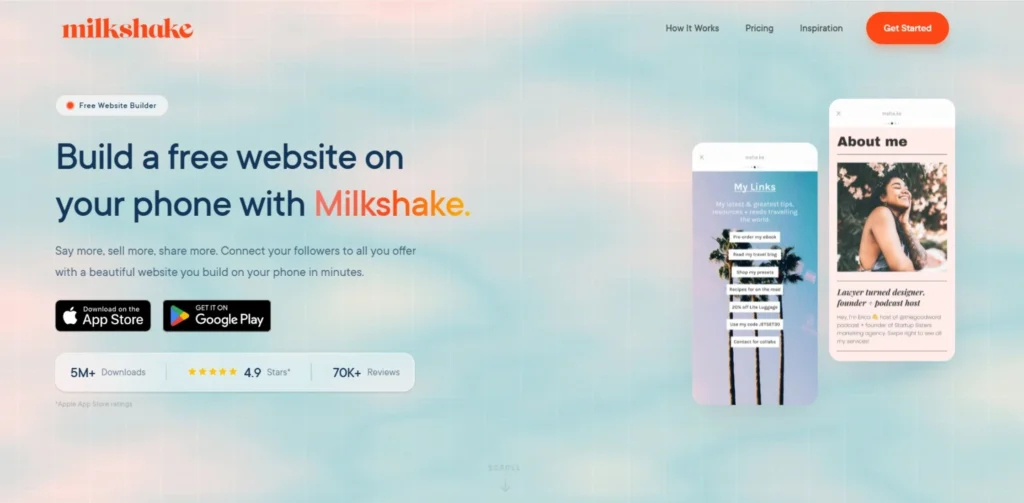
But Milkshake does so in a rather unusual manner — your page gets transformed into a series of magazine-style cards that you can swipe through instead of a list of links. It’s designed specifically for the phone (and can be edited only in the app), which is a nice little feature or a giveaway if you prefer to work on your computer.
One of the most cost effective Link in Bio Tools, at $2.99/month to remove the branding. Just be aware that there is no desktop editor and no native payment integration system, you will have to connect to Paypal and/or another checkout system if you want to make any sales.
7. Linkfire
| Attribute | Details |
| Founded Year / Company | Linkfire, founded 2014 |
| Free Plan Availability | Limited free tier |
| Pricing (Monthly/Annual) | From $10/mo up to $100/mo depending on plan |
| Transaction Fee on Sales | 0% (subscription-based pricing, not commission) |
| Custom Domain Support | Yes |
| Best Use Case | Labels and established artists running data-driven release campaigns |
| Official Website Link | linkfire.com |
| Key Features (Analytics, Store, Scheduling) | Post-click stream analytics, Retargeting pixels, Pre-save scheduling for releases |
| Pros | Best-in-class analytics, trusted by major labels |
| Cons | Overkill and pricey for casual or hobbyist musicians |
The enterprise grade option of Link in Bio Tools designed specifically for music is Linkfire. It’s not a single page – it is hyperintelligent links that will automatically learn where a fan is and their preferred streaming platform, and then send them there with virtually no friction.
The actual benefit is that of data: Linkfire will show you actual conversions in the stream after the click, not just the clicks themselves, meaning a huge difference for labels running paid campaigns. While this level of depth is great for a bedroom producer without an ad budget, it is a bit too much for some producers.
8. Feature.fm
| Attribute | Details |
| Founded Year / Company | Feature.fm, music marketing platform |
| Free Plan Availability | Yes, limited features |
| Pricing (Monthly/Annual) | From $4.99/mo |
| Transaction Fee on Sales | 0% (subscription-based pricing) |
| Custom Domain Support | Yes |
| Best Use Case | Artists running Meta/Instagram ad campaigns alongside releases |
| Official Website Link | feature.fm |
| Key Features (Analytics, Store, Scheduling) | Fan-journey analytics, Ad integration (no native store), Pre-save scheduling |
| Pros | Combines link-in-bio with advertising tools, budget-friendly entry point |
| Cons | Interface less polished than Linkfire, can get complex fast |
Feature.fm combines the power of smart links with inbuilt campaign features, enabling artists to directly target their release pages with Meta and Instagram campaigns. It can support pre-saves on major platforms such as Spotify, Apple Music, and more – with the ability to redirect rules for various traffic sources.
It’s less expensive than Linkfire, with entry access of less than $5 per month and covers many of the same areas. The “downside” is a higher learning curve — this is not a tool for total beginners, but rather for artists that are already experienced with running paid campaigns.
9. Later Link in Bio
| Attribute | Details |
| Founded Year / Company | Later, social media scheduling platform |
| Free Plan Availability | Yes |
| Pricing (Monthly/Annual) | Bundled with Later’s social media subscription plans |
| Transaction Fee on Sales | 0% |
| Custom Domain Support | Yes |
| Best Use Case | Small businesses already scheduling content through Later |
| Official Website Link | later.com |
| Key Features (Analytics, Store, Scheduling) | Post/traffic analytics, Shoppable posts, Native content-calendar scheduling |
| Pros | No commission fees, integrates directly with scheduling tools |
| Cons | Full feature set tied to Later’s broader subscription plans |
It’s logical for small businesses already managing their Instagram and TikTok posts with Later to have a link in bio option within their native platform — no additional sign-up, no additional cost per sale, and shoppable posts directly link back to their bio page.
This is not going to replace storefront tools (such as Stan Store, Beacons) that are dedicated to managing content calendars and bio links, but when you do everything from a single dashboard, the convenience is worth it, particularly if you have a small team with several different uses.
10. Direct.me
| Attribute | Details |
| Founded Year / Company | Direct.me |
| Free Plan Availability | Yes, completely free |
| Pricing (Monthly/Annual) | $0 |
| Transaction Fee on Sales | 0% |
| Custom Domain Support | No |
| Best Use Case | Anyone wanting a clean bio page with zero cost, ever |
| Official Website Link | direct.me |
| Key Features (Analytics, Store, Scheduling) | Click analytics, Direct Access (paid calls/products), No native scheduling |
| Pros | No hidden fees, no paywalled features, generous free plan |
| Cons | No custom domain, less brand customization than paid tools |
Whereas this list usually has a free option that pushes you to sign up for the paid version, the opposite of that is true with Direct.me — everything is free – with no paid option to upgrade. There’s no subscription lying around, and you still have unlimited links, embedded content and analytics.
One of its stand out features is Direct Access which allows followers to book paid video calls, or buy things such as autographed content directly from the page. It’s a no catch introduction for students or any other person who wants to try a platform but hasn’t decided to purchase one.
Link in Bio Tools by Use Case
- Best for Creators & Influencers: Beacons and Linktree are great for their free plans, extensive integration options and audience growth tools (like media kits and email capture right from the page).
- Best for Musicians & Artists: Linkfire and Feature.fm are more successful than other platforms since they know how to work with streaming platforms: automatic routing, pre-save and post-click stream analytics are simply non-existent on Linktree or Beacons.
- Best for E-commerce Sellers: Stan Store and Snipfeed Pro are designed with checking out in mind so that as a frequent seller, you can have storefronts that are optimized for mobile and have 0 or minimal transaction fees.
- Ideal for Small Businesses & B2B: Carrd and Later Link in Bio are great in this case — Carrd for brands with limited budgets who want to create a fully branded, custom domain page; and Later for brands who already have a social scheduling tool and want to integrate it into a single hub.
Pricing & Transaction Fee Comparison
| Tool | Entry Price | Highest Tier | Fee at Entry Level | Fee at Top Tier |
| Linktree | $0 | $35/mo | 12% | 0% |
| Beacons | $0 | $90/mo | 9% | 0% |
| Stan Store | $29/mo | $99/mo | 0% | 0% |
| Snipfeed | $9/mo | $29/mo | 10% | 2% |
| Carrd | $0 | $49/yr | 0% | 0% |
| Milkshake | $0 | $10/mo | 0% | 0% |
| Linkfire | $10/mo | $100/mo | 0% | 0% |
| Feature.fm | $0 | Custom | 0% | 0% |
| Direct.me | $0 | $0 | 0% | 0% |
Speed & Performance: Why Load Time Matters for Conversions
- Each second delay in loading time results in a rateable decrease in click-throughs particularly in mobile data networks.
- You don’t realize how many heavy embeds (video, pixel trackers, multiple third-party scripts) have the ability to slow down your pages.
- Feature-rich platforms with integrated stores and AI tools, such as Instagram, Facebook, and Twitter, usually contain more content and are slower to load. Dynamic sites such as Carrd are quicker to load than feature-rich platforms with built-in stores and AI tools like Instagram, Facebook and Twitter.
- Slow pages impact paid ads most of all, as for each second spent that’s a direct loss to the paid ad spend.
- Try out your bio page with mobile data and not just wifi phones before sending traffic to it!
- The fewer, the better – and the better chosen, the better!
Key Features to Look for in a Link in Bio Tool
- Transparent transaction fees – always read the conditions before lumping “free” with no fees
- Brand credibility is important to your audience and you want to customise your domain?If you’re looking to customise your domain and brand credibility is important, then yes.
- In-built analytics reporting that includes click, site location and referral source information.
- Send in the captures with an email link or SMS to ensure that you are not relying solely on social media.
- Native commerce tools, for those who intend to sell products or services or reserve bookings.
- If you edit your page mostly on your cell phone, you’ll take advantage of mobile-first editing.Mobile-first editing, if editing your page from your cell phone is your preferred method.
- Platform-specific integration for the platform you are already using (Spotify, Stripe, Calendly etc.).
How to Set Up Your Link in Bio Page (Step-by-Step)
- Select the tool that best fits your main objective: selling, booking or just plain and simple link sharing!
- Register and choose a template which corresponds to your brand’s image.
- Put your top link at the top – new release, product or offer
- If the tool needs it, the payment processing (Stripe or Paypal) needs to be connected.
- Use email or SMS capture to begin to develop an owned audience
- Set up analytics tracking prior to driving traffic!
- Include in your Instagram, TikTok and YouTube bio
- Test the page before releasing it to the public; test on Mobile and Desktop.
- Check click data each week and adjust links accordingly based on the actual data
Conclusion
Again, there is no right or wrong answer here as it is dependent on the objective you have in mind. Musicians will find Linkfire or Feature.fm to be the best music-specific routing and analytics options, sellers will likely save money with Stan Store’s flat-fee plan when they get more music sold, and those just starting out can easily begin for free with a platform like Beacons, Linktree or Direct.me without handing over a dollar.
The key is reading every fine print detail of the transaction fees before you commit to a “free” plan; before you begin your sales, you don’t know if it will be the most expensive deal. Try out two or three of these Link in Bio Tools with real people and then monitor the click and conversion data for a couple of weeks and the real data will be the one to decide which platform will be a permanent member of your bio.
Also Read:
FAQs
What is the most reliable free link in bio generators in 2026?
Both Beacons and Linktree have solid free options, and if you don’t require add-on features, Direct.me is truly a free service.
Which of the following links in bio is free from transaction fees?
There is no platform commission whatsoever, just standard Stripe or Paypal processing fees where applicable, with the exception of the prices charged by stan store, Carrd, Milkshake, Linkfire, Feature.fm, and Direct.me.
If Instagram has multiple bio links now, will I still need a link in bio tool?
Yes — several raw links still don’t have analytics, branding, and commerce functionality. A special tool can keep all trackings in one place and present a much more professional appearance than a list of simple URLs.
What is the most effective link in bio for digital products?
The best options are those from Stan Store and Beacons’ Creator Plus plans, which boast no transaction fees at their highest levels and special storefront features.
Do links in bio pages boost SEO?
Not really in most cases — any pages that are hosted on a subdomain such as linktr.ee, usually do not get indexed very well by Google. However, a tool such as Carrd, which can include a custom domain, has a little more SEO potential, but a link in a bio page should be viewed as a conversion tool, not a SEO tool.