

Let’s be real, growing on Instagram 2026 is not what it used to be. A couple of years back, you can post a decent photo, throw in some hashtags and watch the likes roll in. Not anymore.
Today, Instagram has more than 2 billion monthly active users. That’s a lot of people. And they’re all fighting for those eyeballs. The platform serves up more than 140 billion Reels every day. Think about that for a second.
Instagram now has 2 billion active monthly users across the world, and almost 500 million people open up the app each and every day.
The average engagement rate has slipped to as low as 0.48% which is a 24% decrease year over year. More content, but less attention to each post.
Brands that use Instagram for advertising are looking to capture a projected $75 billion in global ad revenue in 2026. The money is serious and the competition is fierce.
Then what does all that mean to you? It means that doing things manually, writing every caption by hand, guessing when to post, keeping track of your own analytics in a spread sheet, just doesn’t cut it any more.
The good news? There are some tools that make the heavy lifting for you. Tools that tell you what’s working, helping you design beautiful posts in minutes, schedule your content while you’re sleeping and find the exact hashtags your audience is looking for.
In this guide, we’ve rounded up the top 12 best Instagram Marketing Toolsto use for 2026. There’s a little something here for you. Let’s get into it.
Also Read: Best All SMO Tools
Why Use Instagram Marketing Tools?
You might be thinking: “I already have the built-in features of Instagram”. Why do I need extra tools?” Fair question. Here’s the honest answer.
1. Native Tools of Instagram Are Growing
Instagram does provide you with some basic analytics and a simple post scheduler. But the platform itself has bare bones tools. They won’t tell you what your competitors are doing, what hashtags really are working for you when it comes to your reach, or what the best time to post is for your specific audience. That is where the third-party tools come in.
2. Time Is Money
Businesses that use social media scheduling tools are saving an average of 6 to 8 hours per week. At typical freelance or employee rates that’s $1,200 to $1,600 worth of time every month. For a small business, that is a big deal.
3. Better Results With Less Guesswork
Posting at the right time can make the difference a whole lot. The use of the correct hashtags can triple your reach. Designing post with a good look and uniformity gives trust to your audience. Good tools make all of this automatic, as opposed to accidental.
4. You Simply Can’t Keep Up Man-Wise
With 95 million photos and videos being posted on Instagram each and every day, the algorithm rewards consistency. If you’re posting only when you have an inspiration you’ll fall behind. Tools help you to be consistent, even on your busiest of days.
5. The Competition Is Making Use of Them
72% of marketers are utilizing Instagram for influencer marketing. Total businesses using the platform is more than 200 million. Are brands doing well? They’re using analytics, scheduling, design and hashtag tools. If you’re not then you’re playing catch up from day one.
12 Best Instagram Marketing Tools for 2026
1. Analytics & Insights Tools
1. Iconosquare
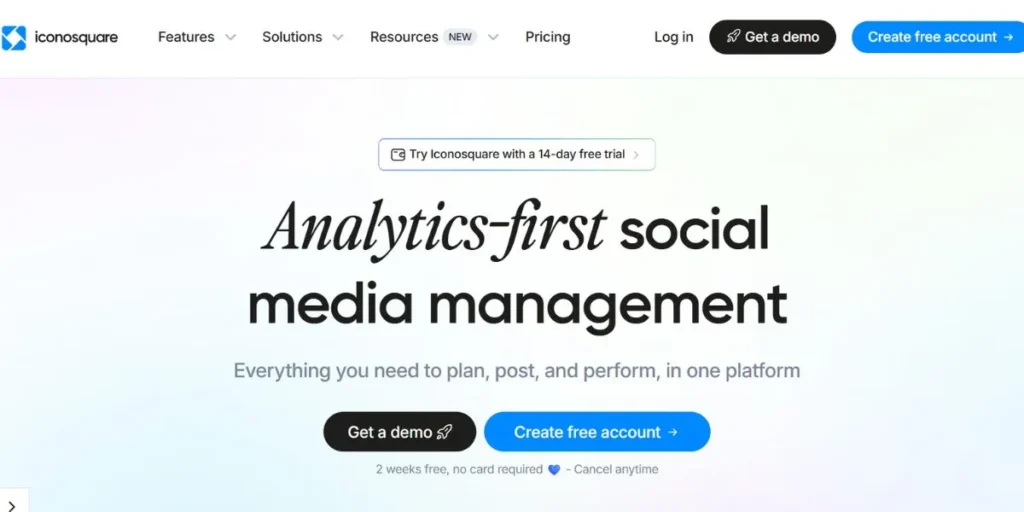
If you’re serious about your Instagram numbers, there isn’t a better analytics tool out there than Iconosquare. It’s been around since 2011, originally as Statigram and has grown to be one of the most trusted social media analytics data analytics platforms. Iconosquare does not merely show you likes and comments, but it goes deep into engagement rate, follower growth trends, story performance, reel analytics and reach data.
One of the highlights is competitor benchmarking that allows you to compare your performance with the similar accounts in your niche. It also has a social listening function that monitors brand mentions and keywords. For agencies that are managing multiple clients, automated PDF reports are a huge time-saver.
Key Features:
- Deep Instagram analytics that includes reach, impressions and engagement rate
- Competitor benchmarking, compare your stats to your rivals
- Customer Reporting & Custom Dashboard
- Automated reporting and custom dashboards
- Schedule, auto-publish Reels, Stories, carousels and feed posts
- Brand and keyword mentions
Pros:
- One of the best, all-in-one analytics tools for Instagram
- Clean and easy to use interface for visual content
- Competitor tracking is sincerely useful for strategy
- Great for agencies that have multiple clients
Cons:
- No free plan, just a trial period
- More expensive than most alternatives
Pricing:
Plans start at $39/month. A free trial is available.
Best For:
Social media managers, agencies and brands creating and managing their social media presence.
Website:
iconosquare.com
2. Socialbakers (Now Part of Emplifi)
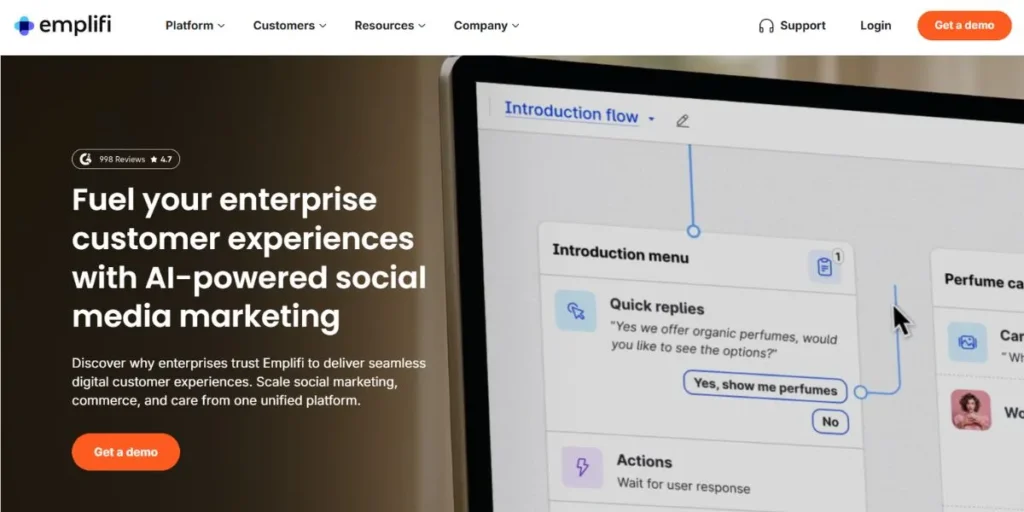
Socialbakers has rebranded and grown into Emplifi, an enterprise-level social media analytics platform coupled with AI-powered social media analytics. If you’re working with a large brand or scale up your campaigns, this is the kind of tool that transforms the raw Instagram data into a strategy that will help you execute your campaign.
What is unique about Emplifi is the AI benchmarking engine that not only shows you how your content is doing, but compares your content against industry standards in real-time. It pulls together performance data from organic content, paid ads and influencer campaigns in one single view, which is incredibly useful if your Instagram strategy involves anything more than just regular posts.
Key Features:
- Content and audience benchmarking using AI
- Cross-channel reporting (organic, paid, influencer all in one view)
- Sentiment analysis
- Social listening
- Tracking of campaign performance using ROI metrics
Pros:
- Enterprise-Grade Analytics Full of AI Capabilities
- Combine paid and organic Intelligence in one platform
- Excellent for large teams that manage complex campaigns
- Good customer service and support features
Cons:
- Not suitable for small business and individual creators
- Custom pricing is often high
- May be overwhelming if you need only basic Instagram analytics
Pricing:
Custom pricing, contact Emplifi for a quote.
Best For:
Enterprise brands, marketing teams that are large and agencies that have multi-channel campaigns.
Website:
emplifi.io
3. Later Analytics
Later started as a visual Instagram scheduler but its analytics features have become really impressive over the years. If you need a tool that will combine content planning with a solid performance tracking. Later is one of the best to go with. The analytics dashboard displays you engagement rate, reach, impressions, saves and profile visits. One function that the creators love is the Best Time to Post tool, which analyzes your particular audience’s activity patterns and lets you know the best times to post on your account.
You’re not getting generic advice, you’re getting data based on the real behaviour of your followers. Later also tracks Stories performance which shows you tap-forward rates and exit rates which help you understand how engaging your Stories actually are.
Key Features:
- Visual content calendar with a drag and drop scheduling
- Post performance tracking Engagement, reach, saves, impressions
- Linkin.bio tool to drive traffic from your Instagram profile
- Suggestions for using hashtags (in performance)
- Cross-platform support such as TikTok, Pinterest and Facebook
Pros:
- The reason is “very easy to use, great for beginners”.
- Genuinely data backed and useful
- Plan offered for free with basic features
- Link-in-bio tool is one of the best ones available
Cons:
- Free plan is limited, advanced analytics is only possible with a paid plan
- Analytics depth is not as good as tools such as Iconosquare
- Some of the features (like Stories scheduling) are reserved for higher-tier plans
Pricing:
Free plan available. Paid plans start in $18/month (billed annually)
Best For:
Content creators Bloggers Small business Anyone who values simple scheduling + analytics.
Website:
later.com
2. Content Creation & Design Software
4. Canva
If there has to be one tool that every Instagram creator knows about in 2026, it is Canva. This online design platform has grossed more than 260 million monthly users since its inception in 2014, and for good reason. It makes it very easy to create professional looking Instagram content even if you have zero design experience. Boards Canva has over 500,000 templates: Instagram posts, stories, reels covers, carousels, highlight covers.
You can drag and drop, change colors according to your brand, change the photos, add text, and export your design in seconds. In October 2025 Canva released its Visual Suite 2.0, the largest update in its history.
Key Features:
- 500,000+ templates Instagram posts, Stories, Reels, Carousels
- Magic Design and text to image generation using AI.
- Brand Kit for saving fonts, colors and logos
- Background remover and Artificial intelligence image editing tools
- Content planner and direct Instagram publishing
- Team editing with in real-time editing
- Mobile app is available to iOS and Android
Pros:
- Easy to use and has a very short learning curve
- Massive library of free templates and designing elements
- Free plan is legitimately usable
- New AI tools are amazing and help save a lot of time
Cons:
- 5GB storage on free plan gets filled up quickly
- It was not optimal for print design
- Limited advanced design control of professional tools
Pricing:
Free plan available. Pro plan: $15/month or $120/year.
Best For:
Content creators, small business owners, social media managers, as well as anyone who creates Instagram visuals on a regular basis.
Website:
canva.com
5. Crello (Now VistaCreate)
If Canva strikes you as being too expensive, and Adobe Express strikes you as being too complicated, Crello, now officially rebranded as VistaCreate since joining the VistaPrint family in October 2021, is the Goldilocks option right in the middle. It’s affordable, genuinely easy to use and is packed with a lot of features that go well beyond what you would expect from a budget-friendly design tool.
VistaCreate (ex-Crello) provides you with 150,000+ customizable templates and a library of over 70 M royalty-free photos, videos and vectors. For Instagram in particular, all the formats you need are covered, posts, Stories, Reels covers, carousels and animated graphics.
Key Features:
- 150,000+ customizable templates, Instagram Posts, Stories and Reels Covers
- Royalty-free photos, videos and vectors (Pro plan) 70M+
- Animated template library, create animated Instagram posts & GIFs
- Brand Kit for holding your colors, font, logo
- Built-in social media scheduler with direct Instagram posting
- Pro plan Background remover tool
- Mobile app based on iOS and Android
Pros:
- Strong animation features
- Built-in scheduler saves you from need of separate tool
- Regular template updates
- New designs added weekly
Cons:
- Smaller template library than Canva
- Free plan limited, premium assets heavily paywalled
- Mobile does not allow editing the designs created on desktop (and vice versa)
- Less brand recognition
Pricing:
Free plan available.
Pro plan: $10/month (bills annually), $13/month (month-to-month).
Best For:
Small business owners, bloggers and creators who are looking for professional designs on Instagram on a tight budget.
Website:
create.vista.com
6. Adobe Express
Adobe Express is Adobe’s answer to Canva, and in 2026, it has taken the lead in a number of ways, especially for creators that care about their brand consistency and the quality of their designs. Unlike some previous versions of the tool that felt clunky, the redesigned Adobe Express is clean, fast and surprisingly easy to use. What makes it stand out of Canva is the way it is integrated deeper with the Adobe ecosystem.
If you already use either Adobe Photoshop, Adobe Illustrator or Adobe Lightroom, then your assets have a perfect symbiotic relationship with Express. The AI tools are impressive, Adobe’s Firefly AI engine powers functionality such as text to image, generative fill and AI assisted design refinement.
Key Features:
- AI image generation with the power by the Adobe Firefly
- Natural language design editing (beta) Conversational AI Assistant
- Integration with Adobe creative cloud assets
- Smart image editing tools Background remover
- Brand asset storage, brand kit features
Pros:
- Quicker and more economical design quality and aesthetic
- Deep Adobe ecosystem integration is a big advantage to existing Adobe users
- Clean and intuitive interface after the redesign
Cons:
- Then smaller size of template library compared to Canva
- Free plan has limited exports
- Less friendly for beginners to complete out of the box users than simple Canva.
- Some of the features of AI are still in beta
Pricing:
Free plan available. Premium plan included with Adobe creative cloud ($54.99/month) or as standalone.
Best For:
People who are already in the Adobe ecosystem like designers and photographers or anyone who is more focused on quality of design.
Website:
adobe.com/express
3. Scheduling & Automation Tools
7. Buffer
Buffer is the scheduling tool that is out of your way. If you have ever taken a look at Hoots suite dashboard and been overwhelmed, Buffer is the cure. It’s simple, clean and focussed in doing one thing extremely well, helping you to schedule and publish great social media content without any unnecessary complexity. For Instagram specifically, Buffer supports scheduling of feed posts, Reels, Stories and carousel.
It provides you AI-based caption suggestions using its in-built caption assistant which is handy if you are running short of ideas. The feature Best Time to Post analyzes the performance of your account over time and recommends the optimal best time to post.
Key Features:
- Simple scheduling interface, clean, very easy to learn
- AI copy writer to write caption for post ideas, copy
- Best Time to Post suggestions to your account data
- Built-in link-in-bio tool (no additional cost)
- Shopify integration
- Supports Instagram feed post, Reels, Stories, carousels
- Simple Analytics with shareable and easy-to-understand reports
Pros:
- A web application that lets the teacher set up the day, week, or month.
- Easiest scheduling tool to learn
- Generous free plan
- Backup interface (everything needs to be updated)
Cons:
- Collaboration and approval functions are restricted
- Embedded analytics
- Not good for the managing large teams or agencies with many accounts
Pricing:
Free plan available. Paid plans start from $6/month per channel (this will be billed on an annual basis).
Best For:
Companies that are Solos, freelancers, small businesses, etc. and people looking for easy to use, reliable scheduling.
Website:
buffer.com
8. Hootsuite
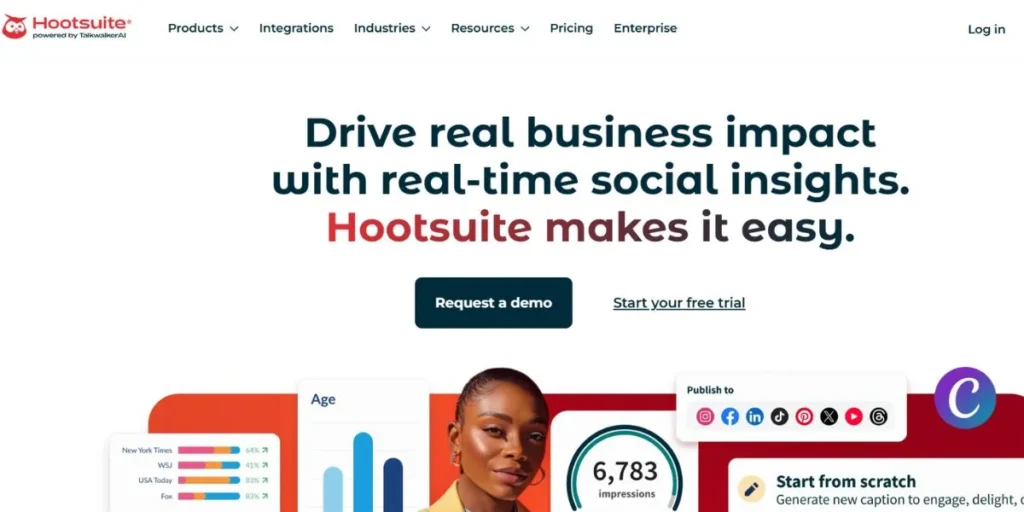
Hootsuite is the big one. It’s been around since 2008 and it’s still the most comprehensive social media management platform in 2026. When you have multiple Instagram accounts, multiple platforms to manage, and a team to work on your content, Hootsuite brings it all to one roof. The platform allows you to schedule Instagram content in bulk including Reels, Stories, and Carousel using a visual calendar.
You can assign incoming DMs and comments to various team members, set up multi-step approval workflows and set up detailed permissions for your team. The analytics suite is more than basic metrics, it includes industry benchmarking which displays how you are doing in comparison to similar businesses.
Key Features:
- Bulk scheduling and visual publishing calendar for all Instagram formats
- Quality assurance workflows and granular team permissions
- Industry benchmarking within the analytics dashboard
- Social listening as powered by Talkwalker integration
- Support for almost every major social platform
Pros:
- Most comprehensive platform available, all in one solution
- Social listening by Talkwalker best in class
- In-depth analytics with competitor and industry benchmarking
Cons:
- No free plan — starts at $199/month
- New users have complications in learning
- Expensive for creating solo or small businesses
Pricing:
No free plan. Starts at $199/month. 30 day free trial.
Best For:
Large businesses working for marketing, and agencies who deal with multiple accounts and platforms.
Website:
hootsuite.com
9. Planoly
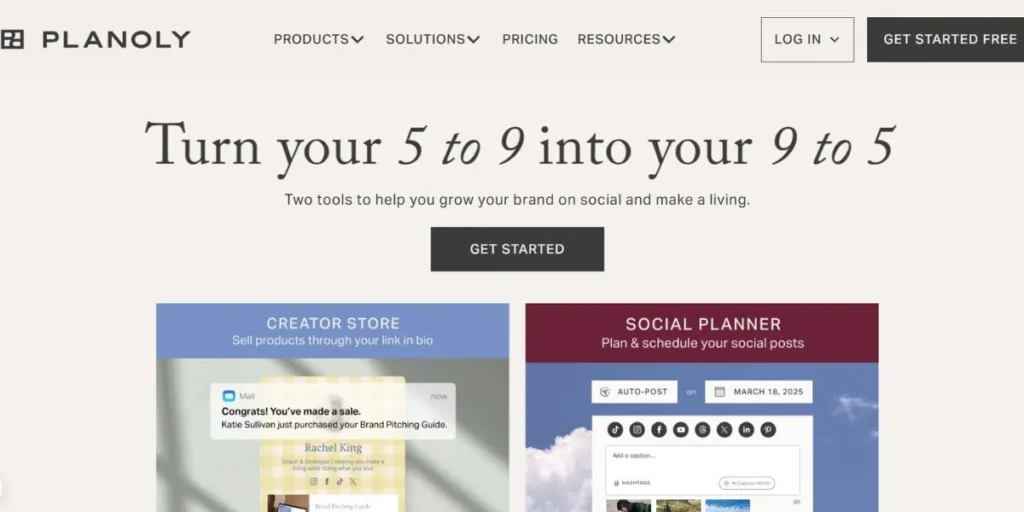
Planoly is the scheduling tool that puts your Instagram feed’s visual look front and center. If your brand is built on aesthetics, if you’re a fashion brand, interior designer, travel creator or lifestyle blogger, Planoly offers you something generic schedulers don’t: a drag and drop grid preview that shows you what your feed will look like before you post anything.
This isn’t just a nice-to-have. For visually-driven Instagram accounts, being able to see how incoming posts look next to each other, colors, tones, balance, is actually powerful. You can be as creative as you’d like with arranging your scheduled posts until your grid looks perfect and then you can let Planoly auto-publish at the right time.
Key Features:
- Auto-publishing for feed posts, Reels, carousels and Stories
- Premium Sigmoid Caption Writer which is reading visual context from your images
- Integration Instagram Shopping + automatic tagging of products
- Media library to store and organize your content
- Multi-platform support (Tiktok and Pinterest)
Pros:
- Grid preview, a game changer for the aesthetically-driven brands
- Educator is a paid plan for $16/month
- Instagram Shopping integration saves time for ecom brands
- Clean, easy-to-use interface
Cons:
- Free plan is very limited (10 uploading/month)
- Analytics are basic, not fit for deep performance tracking
- Auto posting for Stories Push Notifications
- Occasional scheduling failures reported by the user
Pricing:
Freeview (10 Uploads/month). Paid plans starting from $16/month (bills yearly).
Best For:
Brands that are visually-driven, create lifestyle accounts, or have an eCommerce business.
Website:
planoly.com
4. Hashtag & Growth Tools
10. Display Purposes
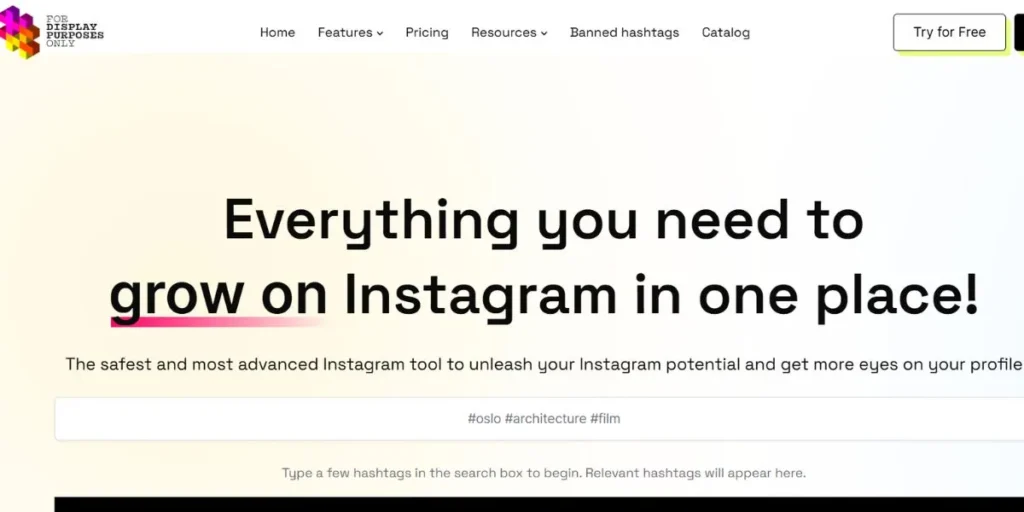
Display Purposes is a free no-frills hashtag tool that does one thing really well, finds relevant Instagram hashtags and filters out the spammy hashtags. There’s no account needed, no sign-up and no pricing to be concerned about. You simply type-in a keyword that is related to your post, and Display Purposes will generate a list of related hashtags that has been filtered for quality.
The smart filter is the factor that distinguishes it. It automatically bans (shadow-restricts) hashtags that Instagram has banned, and it avoids over-general hashtags that are so overpopulated that your post will never appear.
Key Features:
- Automatically filters the banned and spammy hashtags
- Relevance score and popularity score for each hashtag suggestion
- Simple copy on click of hashtags selected
- No sign up or account required, 100% Free
- Clean up, fast interface with no distractions
Pros:
- Spam filtering is the highlight of this page,
- Fast and simple to use
- Good place to start if you are doing hashtag research
Cons:
- No trend information, analytics or tracking historical performance
- Lack of depth as compared to paid hashtag tools
Pricing:
Free — no paid plans.
Best For:
People who are creators or from small businesses that want to find a hashtag quickly and for free without any commitment.
Website:
displaypurposes.com
11. Hashtagify
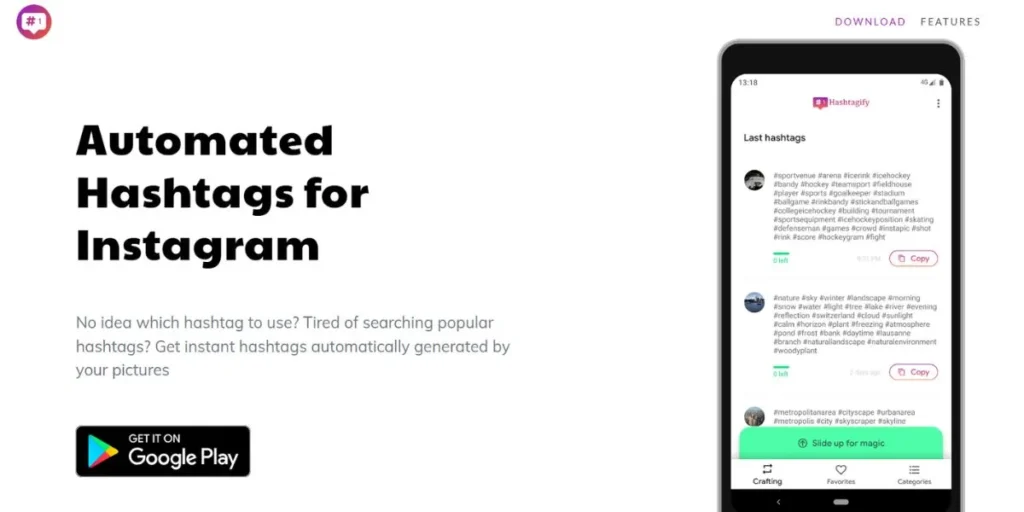
Hashtagify is the hashtag research tool for the data lovers. If you’re looking to go beyond mere suggestions, and actually know how hashtags are performing over time, who’s using them the most, and what their popularity is trending out to be across platforms, Hashtagify tells you that.
The platform breaks down hashtag analytics in depth, you can see popularity scores, weekly and month charts to see trends, who are trending with a particular hashtag, what language and country are most commonly searched in, and even spelling variations that people are searching. This is especially helpful when creating a long-term content strategy around specific topics and/or niche communities.
Key Features:
- Popularity scores & trend charts of individual hashtags
- Countries and languages breakdown of each tag
- Variation of spelling suggestions
- Hashtag Tracking (cross-platform) Instagram and Twitter/X
- Hashtag analysis of competitor(s)
Pros:
- One of the best data rich hashtag tools out there
- Great to understand long-term hashtag trends
- Useful web design for cross platforms campaign planning
- 7-day free trial available
Cons:
- Best data for twitter/X, Instagram data less comprehensive
- Pricing is quite high ($29/month for Personal plan)
- Interface looks dated as compared to newer tools
Pricing:
7-day free trial. Plans: Personal $29/month, Business $86/month, Enterprise $311/month.
Best For:
Marketers who need to run cross-platform marketing campaigns, and content strategists who want to extract deep data of the hashtag data.
Website:
hashtagify.me
12. Kicksta
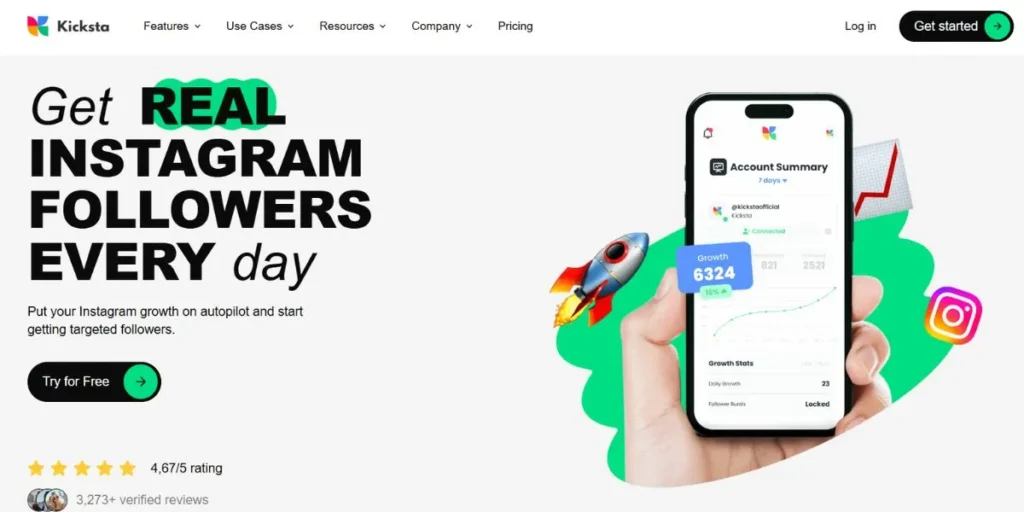
Kicksta is different from every other tool on this list, it’s not about scheduling or analytics or design. It’s about one thing, growing your Instagram following organically, using AI to engage with real people in your target audience. Here’s how it works, you inform Kicksta as to who you deem as your perfect followers by adding target accounts (competitors, complementary brands, relevant hashtags).
Kicksta’s AI engine then automatically likes posts from people who follow those accounts, which causes real attention to be drawn back to your profile. Because you are dealing with real humans who are already interested in your niche, your followers are actually relevant to your brand.
Key Features:
- AI-Powered targeting to find and engage your perfect followers
- Automatic liking based on target accounts & competitor audiences
- 100% Instagram TOS compliant, no bots, no fake accounts
- Dashboard to track the growth of followers over time
Pros:
- Drives real and organic follower growth
- Completely safe and against Instagram rules
- Works on the background automatically
- Great for brands in competitive niches
Cons:
- No free plan — paid only
- Growth is slow
- No analytics, scheduling or content creation functions
- Results take into effect based on your niche and your target decisions
Pricing:
Paid only. Plans start at around $49/month.
Best For:
Brands and creators that are seeking consistent, organic development of followers from an audience that is relevant to the brand.
Website:
kicksta.co
How to Select the Right Tools Instagram
With so many options, primes we have its options to pick the right tools from can be overwhelming. One way we can think about it is to think in terms of the following:
Identify Your Needs
To start with, you must start with your biggest problem. Are you spending too much time designing the posts? There are multiple reasons why this is the case, starting with two of the most significant software options for those looking to start designs: Canva or Adobe Express. Is your reach not increasing and you don’t understand why? Grab on Iconosquare or Later Analytics. Can’t manage to stick to a regular posting schedule? Buffer or Planoly will get round that.
Think about your budget:
If you are just starting out, however, there is really good free stuff out there, Canva has a free tier, Buffer has a free tier, Display Purposes has a free tier, Later has a free tier. If you are fast growing and you are trying to handle multiple accounts, you may want to invest in a paid tool such as Iconosquare or Hootsuite.
Don’t over-tool yourself:
You need not have all 12 of these tools in this list with you. Most people will be fine with one design tool (Canva), one scheduler (Buffer or Later) and one analytics tool (Iconosquare or Later Analytics). That’s it. Start there and build on from there, as you grow.
Table of Comparison: Instagram Marketing Tools 2026
Here’s some quick comparison to help you make a decision:
| Name | Best For | Free Option | Key Feature |
| Iconosquare | Deep analytics | No (Trial only) | Competitor benchmarking |
| Socialbakers | Enterprise AI insights | No | AI-powered benchmarking |
| Later Analytics | Visual scheduling + analytics | Yes (limited) | Best time to post |
| Canva | Content design | Yes | 500,000+ templates |
| Adobe Express | Brand-consistent design | Yes | Adobe AI image tools |
| Buffer | Simple scheduling | Yes | Optimal post timing |
| Hootsuite | Large teams & multi-platform | No ($199/mo) | Bulk scheduling |
| Planoly | Feed aesthetic planning | Yes (10 uploads) | Drag-drop grid preview |
| Display Purposes | Hashtag filtering | Yes (free) | Spam hashtag removal |
| Hashtagify | Hashtag analytics | 7-day trial | Hashtag trend tracking |
| Kicksta | Organic follower growth | No (paid only) | AI targeting engine |
Tips to Get the Most Out of Instagram Marketing Tools
- Always start with the free trial or free plan then pay up: Most of these tools have more than enough functionality to know if they’re right for you without paying a cent of it.
- Batch your content creation: Set aside one or two hours of the week to plan, write and timetable your posts. Tools such as Canva, Buffer allow this to be much faster for you to work in batches.
- Don’t be too preoccupied with hashtags alone: A research from 2026 showed that posts without the use of the hashtags sometimes reached 23% higher than posts loaded with them. Don’t focus on hashtags first, focus on the quality content first.
- Use carousels more: Carousels create nearly three times as many impressions as single images because Instagram moves them around again to people that didn’t engage the first time. A combination of Canva templates as well as a scheduler using Planoly helps to a maximum impact.
- Consistency beats virality: Brands posting Reels three times per week gain 23% follower growth. Use a scheduler to ensure that you do not miss a posting slot on your busiest days.
Explore More About:
Conclusion
Growing on Instagram isn’t easy, but it doesn’t need to be a grind either. The right tools take the guesswork out, saves you serious time and help you come across the right impression for your audience.
If you take nothing else from this guide: You need not employ every tool. Pick one out of each category, design, scheduling and analytics, and get really good at using those three. That alone will have you ahead of most accounts on the platform.
Whether you’re just starting off using Canva and Buffer’s free plans, or uptight to invest in Iconosquare and Hootsuite for a full blown strategy, there is a tool here for where you are right now.
Try something new this week. Check your analytics. Plan out your posts in advance. Design something that is actually pretty to look at. Small steps that are done consistently add up quickly on Instagram.
Got a favorite Instagram tool that we did not mention?
FAQs
What is the best instagram tool free for beginners?
Design Canva, scheduling Buffer and basic performance tracking Later are the best starting point that are free. All three have useful free tiers that are genuinely usable (rather than being teaser tiers).
Do Instagram tools really help you to increase your followers?
Yes — but indirectly. Tools like Kicksta to help with targeted organic growth, and tools like scheduling to help you post consistently (that the algorithm rewards), and analytics to help you understand what’s working so you can do more of it.
Is Hootsuite worth the price in 2026?
For big teams and agencies with multiple accounts on a number of platforms, yes. For solo creators or small businesses, Buffer or Later will come relatively close to 80% of the functionality at a fraction of the cost.
How many Instagram tools do I really need?
Three is a good number, one design tool, one scheduler, and one analytics tool. And start off with that combination and just add more when you’ve outgrown what you’ve got.